If you are a small business owner, you probably already know about content marketing, or you are using content to attract new customers or to increase communication with current customers. So, you are not only a small business owner but also a content marketer who will need all the tools to create actionable content necessary for effective content marketing in order to become more productive and effective when it comes to your content marketing tactics.
Content marketing is something that we can classify as the most important marketing weapon for your small business. Many small businesses use content marketing strategies to increase their online or offline sales. The practice shows that content marketing can bring several times more customers to a business if it is implemented in the right way.
We must emphasize that the implementation of content marketing strategies is free, or in some cases, you can implement them with a budget of less than $ 1,000. However, on the other side, this is a time-consuming job. Time is required, especially for brainstorming ideas for content and the creation of that content. Here, different content marketing tools will be really helpful.
📖 Key takeaways
- Content marketers often struggle with efficiently managing their content marketing efforts due to the overwhelming number of tasks involved, such as content creation, research, keyword research, and SEO.
- Without the right tools, you can find yourself spending so much time on repetitive tasks, leaving little room for strategic planning and creativity. This can result in missed opportunities to engage with your target audience, reduced online visibility, and decreased overall content marketing performance.
- The content marketing tools mentioned in this article can help you simplify your processes and achieve better results in content marketing. They can also help you create actionable content that resonates with your audience, ultimately driving success.
Definition and Importance of Content Marketing
I don’t want to go into details about what content marketing is and the importance of it for your small business. What I want to mention here is that content marketing is a strategic marketing approach that focuses on creating and distributing valuable, relevant, and consistent content to attract and retain a clearly defined audience.
The success of your content marketing efforts will be based on your content marketing strategy and execution of the strategy. You can find out more about how you can develop such a strategy with the template that will help you in our article about content marketing strategy.

Content marketing is important because of its ability to help you build strong brand awareness, generate leads, and drive conversions.
Content Marketing Tools That Can Help You with Content Creation
Plenty of content marketing tools can help content marketers become more organized and implement their content strategy in the best possible way.
I have tried many of them. Some are great, some not. Some are free, and some are paid. But, generally speaking, each tool that can be used for these purposes can bring increased productivity.
I use different content marketing tools to always have a list of several blog post ideas. Here, I will mention some of the content marketing tools that I use or have used in the past.
Related: Best Meeting Minutes Software Solutions for Your Company
1. Open Live Writer
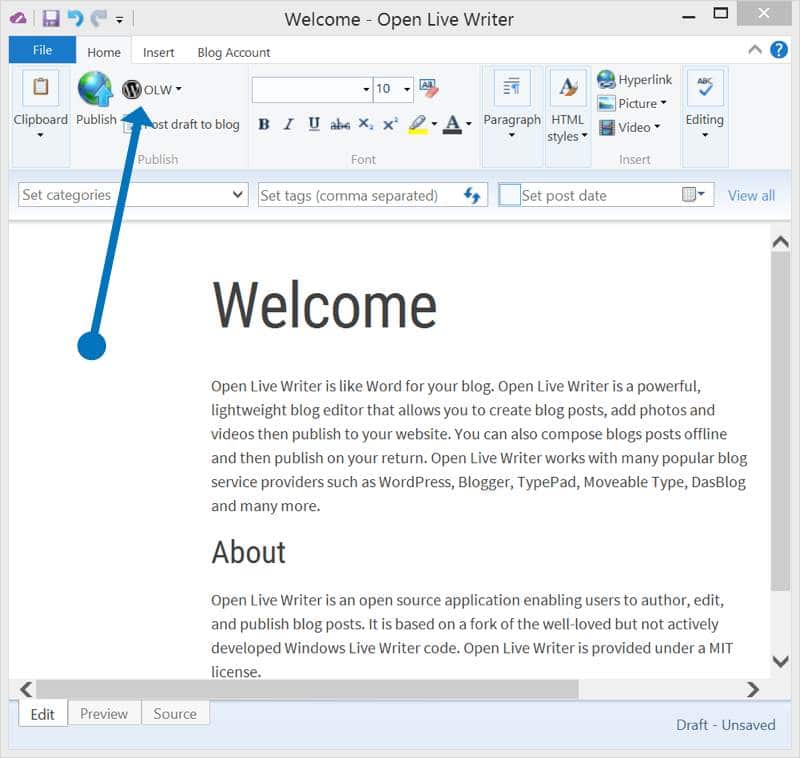
Open Live Writer, previously called Windows Live Writer, is an open-source content writing platform that can be used as a blog editor to create, manage, and publish blog posts, add photos and videos, and then publish them to your website, similarly to what you’d do in the WordPress Visual Editor.
You can save your articles as a draft and, after some time, edit them. When you finish, post them directly from the application to your WordPress blog.

2. Evernote
The basic premise behind Evernote is that there are tons of content ideas that are waiting to be documented, but we’re too busy to do so. So, Evernote makes it easy to capture those thoughts in digital form.
So many people (myself included) seem to get stuck in a rut when it comes to content creation. We create stuff but then rarely end up posting it anywhere. That’s why it’s important to have some kind of system in place for collecting and sharing the content you create, whether it’s on the web or via a company blog. The key is to establish a process for collecting content that works for you. Make a plan. And then stick to it!
Google Docs is another excellent tool for creating content and collaborating. When paired with an AI-assisted editing workflow, its real-time text formatting capabilities can enhance productivity and streamline the content publishing process even further.
Evernote can be used on your PC, Mac Desktop, and mobile phones or tablets. Each idea from everyday life, computer, or phone can be placed in one place with Evernote.
You can use Evernote as your digital storage for content marketing ideas, creatives, or everything you find on the web and want to use as a reference when you work on content creation.
I’ve tried to keep this list short, but the truth is that there are so many different ways to use Evernote to its full potential. Here are just a few of the ways I use Evernote:
- Create a notebook and save articles, images, videos, etc., that I want to reference later.
- Write down ideas and thoughts about a blog topic.
- Use Evernote as a central location for keeping track of notes, to-dos, and reminders.
- Keep all my content in one place so I can find it anytime.
Related: How to Start With Video Marketing?
3. DevonThink
Content marketing efforts include research that will help you create high-quality content. Similar to Evernote, DevonThink is one more comprehensive solution that I am currently using as a repository or database for research. This means that everything that I read in the form of books, scientific papers, articles, blogs, etc. if there is something important for me, it goes into this database.
So, when I am doing some scientific research or research for content creation, I always use DevonThink first to search inside my internal databases. One of the best features I like is the option that DevonThink creates records for all annotations inside the document when I highlight text inside the document. Then, I can easily

4. Ulysses
If you’re looking for a content creation tool to streamline the process of creating great content, Ulysses is for you. The app is designed to give writers an easy way to manage their text content. Ulysses was created by a group of writers who felt there wasn’t a product that could make writing documents and books easy.
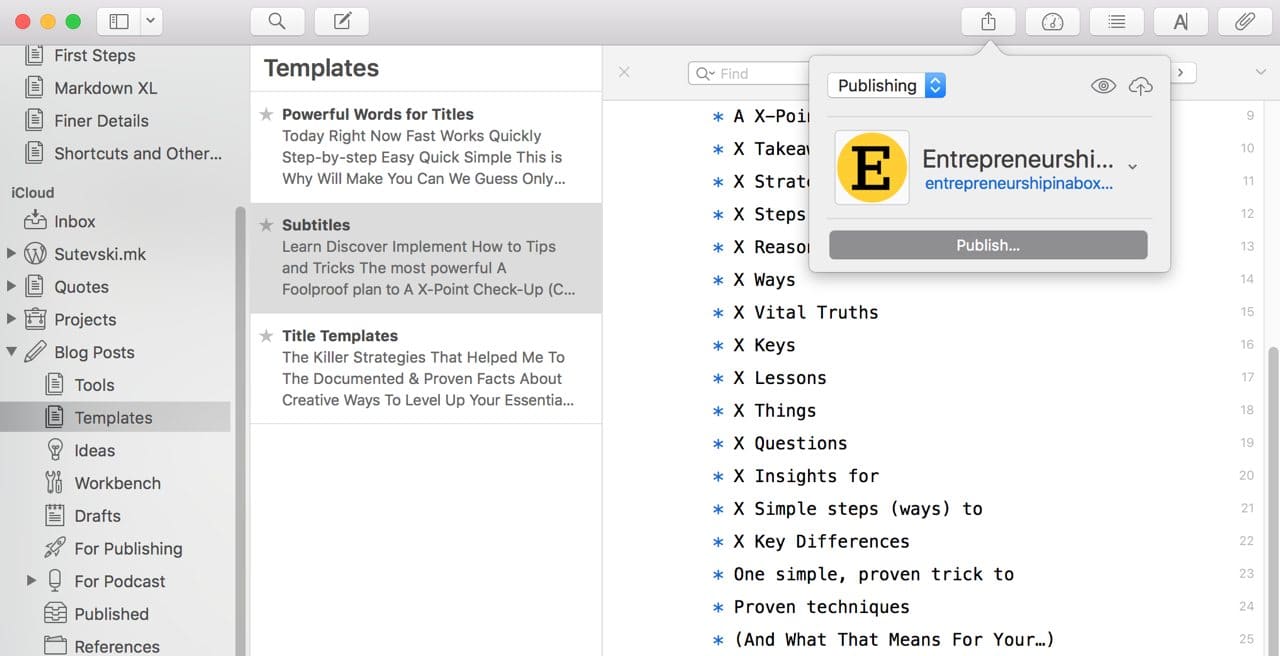
Ulysses is one of the best writing apps for Mac, iPad, and iPhone that enables a really pleasant, effective, and focused writing experience. Additionally, it can be used as text storage where you can write all your ideas, content marketing concepts, and so on. Also, with Ulysses, you can directly publish your blog post on the WordPress website.

Ulysses can be used in conjunction with keyword research tools like Google Keyword Planner and Semrush to optimize content for search engines.
One of the best things about using Ulysses is that it provides a structured way of creating content. It makes content editing, formatting, and publishing a breeze, with many features to help you create content. With Ulysses, you can write, edit, organize, and publish your content from the same interface.
5. MindMaps Apps for Content and Social Media Posts Ideas Development
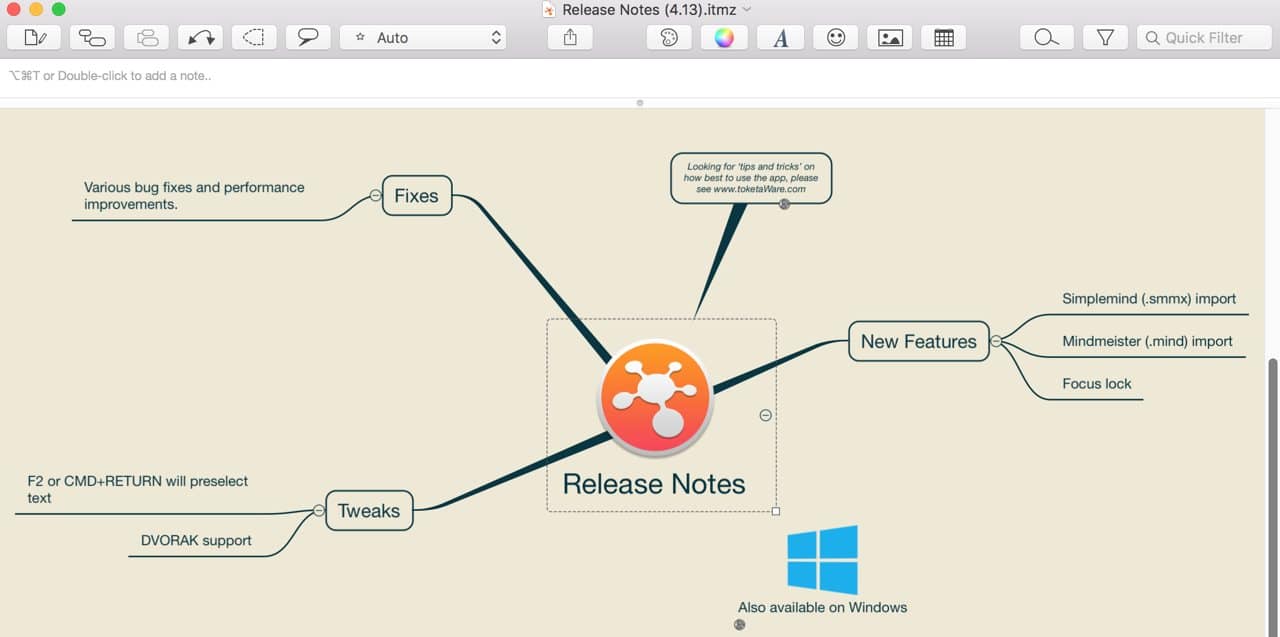
Mind mapping is a method of organizing and structuring information. In my opinion, there’s nothing more useful than having a set of tools that allow you to plan, brainstorm, and organize your content creation and marketing campaigns effectively. They are visual representations of concepts that can be represented as hierarchical trees. When used correctly, mind mapping makes it easier for writers to think about and plan out ideas, research topics, or organize information.
You can use mind maps as a means of breaking down a larger task into its component parts, thereby providing yourself with a roadmap for creating that content.
You can choose from different mind map maps like Freemind (PC), iThoughts (iPhone), or MindNode. Before I start using mind maps to organize my ideas and future actions, many of my ideas become junk.
Every time when I come up with an idea about something, I put it into the mind map. In such a way, I am more organized and more productive, and each idea is better prepared to become a reality. I use Freemind for PC and MindNode for the iPhone and Mac, which allows me to save the map in a format that can be read on Freemind.
6. Audio Recorder on your Mobile Phone
The next piece of software I recommend is an audio recorder for content creation. Today, there are hundreds of apps available to record audio in different ways and store it in various ways.
Integrating audio recordings into the marketing process can help capture and refine content ideas, making it easier to optimize your overall marketing efforts.
The ability to record audio is an essential tool for bloggers and content creators who wish to create quality content.
The goal of an audio recorder is to create audio recordings that help you capture ideas for content. It’s very simple to use and easy to export files, and it makes the task of capturing ideas in your mind a lot easier. It’s a really great tool for capturing thoughts, especially when you don’t know what to write about yet.
The audio recorder is so important to me because I can use it to capture my ideas in each situation. I can use it when I walk, drive, and rest…

7. TextExpander for iPhone, iPad, and Mac
One of those apps could be called “life-changing” if you use it correctly.
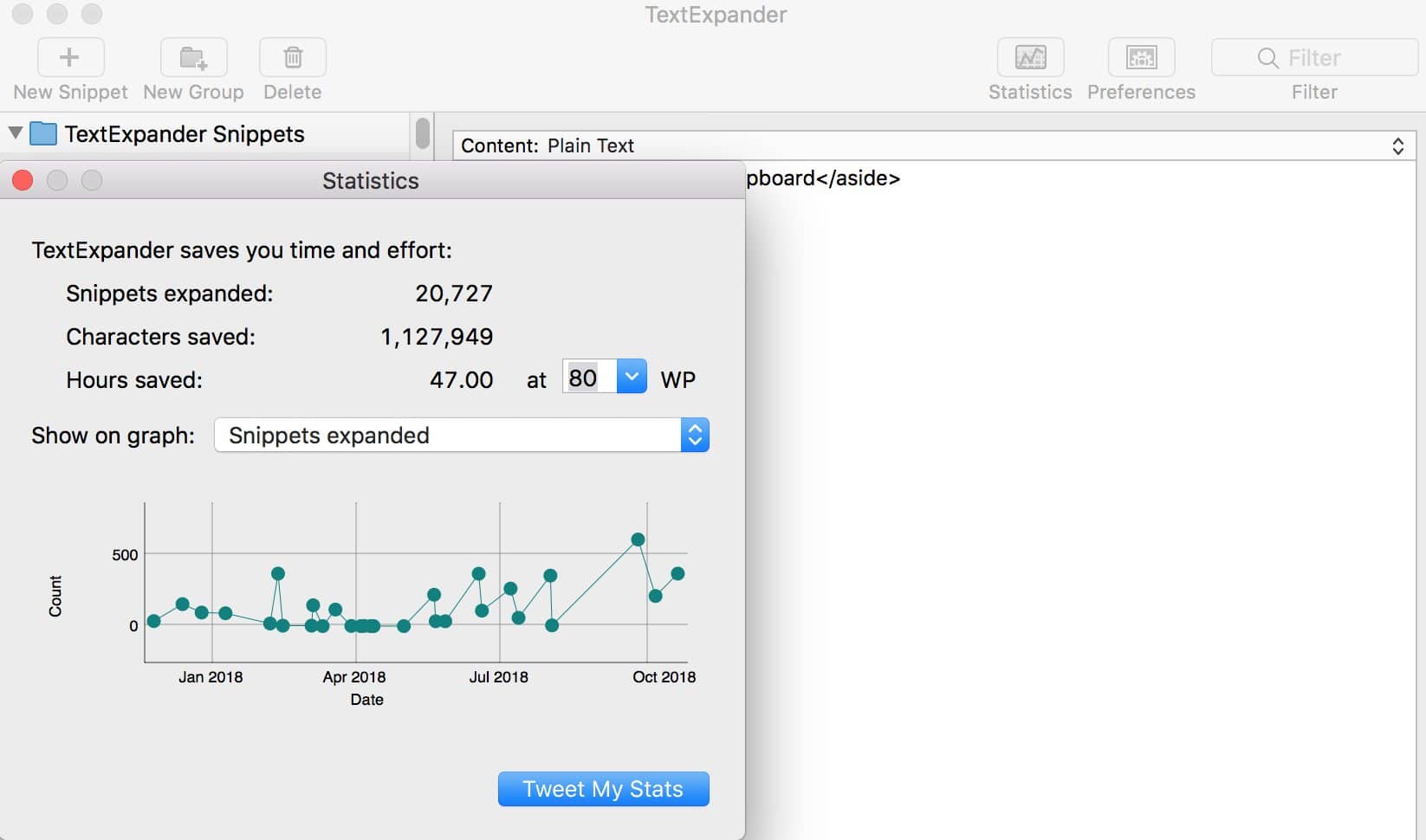
The app makes it easy to record text snippets and save them in the cloud, where you can access them anytime from any computer or device.
TextExpander is incredibly useful for people who do a lot of repetitive tasks, such as web designers, journalists, bloggers, and copywriters.
TextExpander can also be used to manage scripts and notes for creating video content, enhancing engagement, and improving SEO.
I found this tool many years ago, but now it is so important to me, and I can not imagine my work without it.
I use the TextExpander to write something or to transfer my ideas into the text. Most importantly, I can write notes from the meetings, and after that, I will have something already prepared as a text file.
On the other hand, the application has the possibility to add snippets that can save me time when I write something. It saves me a tremendous amount of time.
8. Google Docs
Google Docs is another popular cloud-based content-writing solution that allows you to create, edit, and collaborate on documents with others in real-time. It also offers a variety of templates and add-ons to enhance your writing experience.
One of my favorite features of Google Docs is the ability to easily insert images from sources like the Photos app, where my mobile photos are on Android phones, Google Drive, by URL, and Camera. This saves me time and effort in searching for relevant images for my content.
I can simply click on the “Insert” tab and select “Image” from the dropdown menu. From there, I have the option to either select an image from my files or use the drag-and-drop feature to quickly add an image from my computer.

Additionally, the outline option on the left pane is a great way to see the structure of the headings and subheadings that help me, or someone on my team, to see the flow of the whole structure.
As a standalone application, Google Docs brings many values when creating content. However, with the addition of add-ons, you can add additional features related to the content creation process and SEO.

Also, if you have a Surfer account, you can install a Chrome browser extension that will allow you to connect your Surfer account and select the article inside your content editor. In such a way, you can create valuable and SEO-focused content.

9. Surfer
I have seen that many content marketers and content writers use Surfer as one of their marketing tools. Surfer is an SEO tool or content marketing platform that helps you optimize your content for search engines by providing data-driven recommendations through keyword research, competitor analysis, and on-page optimization. Also, you can use this content marketing tool to track and manage your content from ideation through to publication.

With Surfer, you can easily analyze the top-ranking pages for a specific keyword and see what factors contribute to their ranking success. This allows you to create content that is optimized for both users and search engines, increasing your chances of ranking higher in search results.
In addition to its SEO capabilities, with the help of Surfer, you can also conduct a content audit of all your articles, create a topical map, and audit specific articles that can help you check keywords, internal linking, etc.
I need to mention that Surfer has additional features for AI writing content that are paid add-ons. This option can write fully optimized content based on the keyword you select. But, in my own experience, you still need to invest time and effort to edit such content. Many times, there are repeated sentences, and you can also discover some parts of the text as a result of AI hallucinations. This is only mine own experience, however I have seen some case studies with a great results.
10. Canva for Visual Content Creation
When you create content, you will always need visual or visual content that can be inserted into an article or shared on social media platforms. My first choice for creating visual content is Canva.
I like Canva because it offers a user-friendly interface and a wide variety of templates, fonts, and images to choose from when creating visuals. You can easily customize your visuals to match your brand’s style and tone, making them stand out and catch the attention of your audience.

Canva also offers a feature called “Magic Resize,” which allows you to quickly resize your visuals for different social media platforms, saving you time and effort. This is especially useful when you want to share your content on multiple platforms but don’t have the resources or time to create separate visuals for each one.

Another great feature of Canva is its collaboration tool. This allows you to invite team members or clients to access and edit your visual content, making it easy to work together on projects.
In addition to creating images, Canva also offers tools for creating video content, which I will discuss next. With a user-friendly interface and drag-and-drop functionality, you can easily create engaging videos for your social media or website.
Video Content Creation Tools
As a content marketer, you will need to create video content, regardless of whether they are long-form videos or short-form videos for TikTok, Instagram Reels, or YouTube Shorts.
11. ScreenFlow or Camtasia
If you’re looking to create more professional and polished videos, ScreenFlow and Camtasia are great options. These software programs allow you to record your screen and edit the footage with ease. Also, with the camera, you can record yourself and edit things inside ScreenFlow and Camtasia.
You can add text, animations, music, and other effects to make your videos stand out. They also offer a variety of export options so you can easily share your videos on multiple platforms.

12. AI Video Marketing Automator (SEMRush)
Another great tool for creating videos is the AI Video Marketing Automator from SEMRush. This tool uses artificial intelligence to automatically generate video content based on your website’s text and images.
Simply input your website URL and choose a template, and the AI will do the rest – create a video marketing campaign for your article. You can customize the videos with your own branding, music, and voiceover for a unique and personalized touch. Also, you can edit the text summary that the tool generated from your article.
Here is what I get after I paste the URL from the article and respond to several questions related to what platforms the video will be shared on and the type of the video.

13. Descript
Descript is another useful tool for creating video content. It combines audio and video recording, editing, and transcription all in one platform. This can be extremely helpful for content creators who want to create engaging videos without spending hours on editing.
One of the standout features of Descript is its ability to transcribe spoken words into text in real time. This makes it easy to edit your video by simply deleting or rearranging spoken sentences. You can also add captions and subtitles to your videos, making them more accessible to a wider audience.
Keyword Research and Topic Selection Tools for Content Marketers
I already covered one tool for keyword research and topic selection for content marketers, and it was Surfer (covered in content writing tools). Let’s look at some additional tools that can help you relate to the keywords and topic selection.
14. Google Trends
Google Trends was one of the first tools I used to check the popularity of a topic and see if it was worth writing about. Simply, you can keep track of the latest search trends and discover new topics that are gaining popularity.
It allows you to compare the search volume for different keywords over time, as well as filter by location, category, and type of search (web search, image search, etc.). You can also see related topics, questions, and rising trends for your chosen keyword.

15. BuzzSumo
BuzzSumo is a great tool for finding popular content related to your topic. You can search by keyword or topic and see the most shared articles on social media platforms like Facebook, Twitter, LinkedIn, and more. This can give you insights into what type of content is resonating with your audience and help you come up with unique angles and ideas for your own writing.

16. Ubersuggest
Ubersuggest is a tool for content marketers that can help you find new keywords and phrases related to your topic. It also provides data on search volume, CPC (cost per click), and competition for each keyword, giving you valuable insights into what terms are worth targeting in your content.

17. SEMRush
SEMrush is a great SEO tool that not only provides research regarding keyword ideas but also competitor analysis, backlink analysis, and more. I don’t use it anymore, even though it is a really great tool. The reason is that there are so many options that I don’t use, and I can not make a plan according to my specific needs.
In terms of content writing, it can be useful for finding related keywords to include in your article as well as analyzing the top-ranking pages for your chosen keyword. This can help you understand what type of content is performing well in search engines and guide your own writing strategy.

18. Ahrefs
Ahrefs is another similar content marketing tool, such as SEMRush, that offers comprehensive keyword research, competitor analysis, and backlink analysis. However, Ahrefs is more focused on backlinks and their impact on search engine rankings.
Similar to SEMRush, Ahrefs can be overwhelming with its extensive features, but it offers valuable insights for optimizing your website’s SEO strategy. Its competitor analysis tool can help you identify the top players in your industry and analyze their backlink profiles to see what strategies are working for them.
One unique feature of Ahrefs is its “Content Gap” tool, which compares your website’s content with that of your competitors and identifies potential gaps or opportunities for improvement.
SEO and Analytics Tools
Search Engine Optimization (SEO) and analytics are important components of a successful content marketing strategy. SEO helps you optimize your content for search engines, increasing your online visibility. On the other hand, analytics provides you with valuable insights into the performance of your content marketing efforts, allowing you to track your progress, determine what you must improve, and make data-driven decisions.
19. Yoast SEO WordPress Plugin
One of the most popular SEO tools for WordPress users is Yoast SEO. This plugin offers a full set of features to help you optimize your website’s content. It includes on-page optimization suggestions related to the main keywords for the article, generating XML sitemaps, and social media integration.

One of the last additions to the plugin is the AI that can help you generate meta descriptions and titles. Also, their AI models can add keywords inside the text if there is a problem with keyword distribution. But I can not tell you how it works because I always get the info that the “text is too long for AI models to process.
20. Google Search Console
Google Search Console is another essential tool that almost all content marketers use for SEO purposes. It allows you to monitor your website’s performance, submit sitemaps, and check for any indexing errors. You can also see which keywords are driving traffic to your site and their click-through rates.
Another useful feature of Google Search Console is the ability to request a reindexing of specific pages on your site. This can be helpful if you make changes or updates to a page and want it to be indexed again quickly.

21. Google Analytics
Google Analytics is a powerful tool that provides in-depth data about your website’s traffic and user behavior. It can track various metrics about how your content is performing.
Using Google Analytics, you can understand which pages are receiving the most traffic and engagement; you can focus your efforts on creating similar high-performing content.
Content Distribution and Promotion
Social media is a powerful channel for content distribution and promotion. By creating and sharing high-quality social media posts, you can improve your social media presence, increase your online visibility, and engage directly with your target audience.
Some of the best content marketing tools for social media include Hootsuite, Buffer, and Social Pilot. These tools allow you to schedule and publish your social media posts in advance, track their engagement and analytics, and adjust your content strategy accordingly.
22. Hootsuite
Hootsuite was the first tool I have used for many years to share posts on social media platforms. Then, it was only a smartphone app, and it quickly became a comprehensive platform for managing social media accounts.
Hootsuite allows you to schedule posts on multiple platforms, such as Twitter, Facebook, Instagram, and LinkedIn. Additionally, it offers features like team collaboration, social media monitoring, and analytics to track your performance.
23. Buffer
Buffer is another popular social media management tool that allows you to schedule posts in advance for multiple platforms.
One of the main advantages of Buffer is its user-friendly interface, which makes it easy to navigate and use. It also provides detailed analytics about your posts’ performance and audience engagement.
24. Social Pilot
Similar to Hootsuite and Buffer, Social Pilot also allows you to schedule posts on various platforms. What sets Social Pilot apart is its focus on team collaboration. You can bulk upload CSV files to schedule posts in advance, manage inboxes for Facebook, Instagram, and LinkedIn, see analytics performance related to your social media posts, etc.